Rent. Apartments & Homes
- 4.7
- Rating
- 5.00M
- Installs
- Free
- Price

 Analysis by App-foxy
Finding a place to live can become a second job when you are checking several rental sources, saving addresses in different places, and trying to remember which landlord replied to which message. I found Rent. Apartments & Homes useful because it puts the apartment-search process into a focused mobile experience rather than making me jump between unrelated tools. It is a free House & Home app from Rent Group, Inc., aimed at people looking for rental homes and apartments on Android.
My first impression was that it is best understood as a search companion, not a replacement for careful research. It helps me discover possible homes, compare them at a glance, and keep moving when I am searching from a phone. The important part is knowing how to use the results intelligently: a promising listing is a starting point for verification, not a reason to send money or personal documents immediately.
What to expect when you open Rent. Apartments & Homes
The app is built around the practical question most renters have: where can I find a home that fits my location, budget, and daily routine? Instead of treating the search like browsing a general marketplace, it keeps the attention on rental properties. That makes it easier to begin with a clear goal, especially if I already know the area or the kind of home I want.
You May Also Like

 Blood Strike: 2.5 Anniversary
Blood Strike’s Loadouts Turn Every Drop Into a Tactical Gamble
A close look at Blood Strike’s custom loadouts: how fast access to signature weapons reshapes its battle royale rhythm, rewards preparation, and narrows the gap between fights.

 Pandora - Music & Podcasts
Pandora’s Music Is Easy to Start, but Harder to Recover
Pandora’s strength is its low-effort path from a seed to a station. Its weak spot is how much confidence it asks you to place in connection, setup, and quiet recovery.

 8 Ball Pool
 Is Built on Rivalries, Rematches, and Routine
A close look at the rivalries, rematches, shared routines, and unanswered safety questions that turn a quick pool match into a persistent mobile community.

 Samsung Music
’s Quiet Strength Is Playing What You Already Own
Its reach comes less from spectacle than from dependable access to a personal library. That simplicity is both the app’s strongest retention engine and its ceiling.

 AccuWeather: Weather Radar
AccuWeather Review: A Quick, Clear Forecast for Everyday Decisions
For everyday plans, the best forecast is the one you can understand quickly. AccuWeather makes rain timing, radar, and local conditions easy to act on, with a few trade-offs.

 Hill Climb Racing
Why Hill Climb Racing Still Turns Crashes Into One More Run
A tiny car, a bumpy hill and one more upgrade: Hill Climb Racing keeps resurfacing because its simple chaos makes every near-miss feel personal.
More From Our News Desk
View All News


I would recommend starting with three priorities before searching: the maximum monthly rent I can realistically manage, the neighborhoods that make sense for work or school, and the features I will not compromise on. This sounds obvious, but it prevents a common mistake in apartment apps: falling in love with a beautiful listing before checking whether the commute or total cost works.
Rent. Apartments & Homes has a large audience, with an average rating of 4.6 from around 123 thousand ratings and over 5 million installs. That level of use makes it feel like a practical place to begin a search rather than a niche tool. Still, popularity does not guarantee that every result will suit my situation, so I treat the app as a way to build a shortlist.
The app is free and carries an Everyone content rating, which makes it approachable for a broad range of renters. It is also an established product, released in 2010, and the current version is 11.9.0. On an Android device, it requires Android 8.0 or later. Those details matter if I am using an older phone and wondering why I cannot install it.
Who gets the most value from it
I think the app works especially well for a first-time renter who needs a simple place to see available homes and learn what different areas offer. It can also help someone moving to a new city, a student comparing neighborhoods, or a renter whose lease is ending and wants to understand the current market before making a decision.
It is less suitable for someone who already has a very specific building in mind and needs detailed information directly from that property manager. In that situation, the building's own leasing office or official website may provide more reliable details about availability, application requirements, and current fees. I would also skip relying on one app alone when the search is urgent or unusually specialized, such as finding a home with a rare accessibility requirement.
Setting up a useful search instead of browsing randomly
After installing the app, I would begin with the location rather than scrolling through attractive photos. Enter the city, neighborhood, or area where I genuinely want to live, then narrow the search using the requirements that affect the decision most. A broad search is useful for learning the market, but it quickly becomes noisy if I leave every preference open.
My practical setup is to choose a realistic price ceiling first, then select the home type and bedroom count that match my needs. Only after that would I add preferences such as pets, parking, or particular amenities when those choices are available for the search. The reason is simple: a filter is helpful only when it removes homes I truly cannot use. Too many filters can hide reasonable options because listings do not always describe every detail in the same way.
A useful first-time workflow is to run two searches rather than one. The first should be strict and reflect the home I would ideally rent. The second should relax one condition, such as neighborhood or a nonessential amenity, while keeping the budget and bedroom requirement firm. Comparing those results shows whether my expectations are realistic and reveals nearby areas I might otherwise ignore.
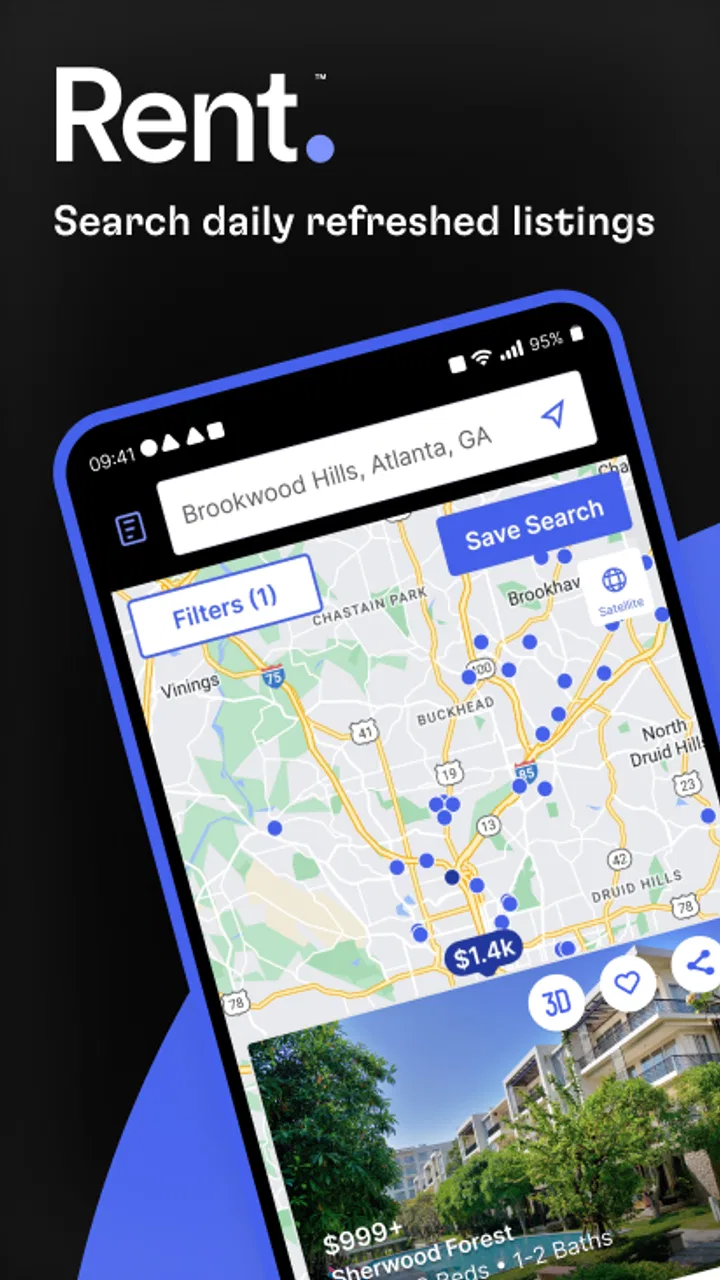
I also recommend checking the map context before saving anything. A listing can look affordable until I consider the distance to work, public transportation, grocery stores, or family. Even when an app presents homes in a convenient list, the surrounding area remains part of the rental decision. I use the map to eliminate places that would create an expensive or exhausting daily routine.
How I organize promising homes
When I find a property that seems suitable, I save it immediately rather than assuming I will find it again. I then give myself a short note outside the app or in my own checklist: why it stood out, what needs verification, and how it compares with the previous option. This small habit prevents a long list of identical-looking apartments from becoming impossible to evaluate.
I would divide saved homes into three groups: strong candidates, possibilities that need more information, and backups. That is more useful than saving everything. A strong candidate meets the non-negotiable requirements. A possibility may have a good location but unclear costs or availability. A backup is not perfect, but it gives me an alternative if the first choices disappear.
One non-obvious advantage of this approach is that it turns browsing into a decision process. I am not merely collecting attractive listings; I am creating a shortlist that can support calls, tours, and follow-up questions. The app helps with discovery, but the quality of the final decision comes from how carefully I manage what I discover.
Reaching the first meaningful success
For a first-time user, success should not mean installing the app or opening a listing. It should mean finding one realistic home that passes an initial screening. I would define that as a property within my practical budget, in an acceptable location, with enough information to justify contacting the listing or arranging the next step.
To get there, I start with a narrow location and a firm budget, review several results, and save only the homes that meet my basic conditions. Then I compare the shortlist using the same questions: Is the location workable? Does the home size fit my household? Are the photos and description consistent? Is the listing recent enough to justify contacting someone? If the app displays contact or property information, I use it as an invitation to ask questions, not as proof that the home is still available.
A realistic scenario would be a renter whose lease ends soon and who works in a different part of town. I would search near the workplace and along practical travel routes, save a handful of homes, and remove any that look affordable only because they are too far away. Then I would contact the strongest options with a prepared message asking about current availability, total monthly charges, viewing times, and the application process.
Preparing that message in advance is a surprisingly effective tip. It keeps me from asking one question at a time and losing track of the answers. I would include the desired move-in timing, household size, pet information if relevant, and the exact property I am asking about. A clear first message often reveals quickly whether the listing is active and whether the conversation is worth continuing.
The first successful action can also be learning that my original search is unrealistic. If every suitable home is outside my budget, the app has still helped by showing me that I need to change one variable. I might widen the area, accept a different bedroom arrangement, or adjust my timing. Discovering that early is much better than spending days comparing homes I cannot afford.
What to verify before treating a listing as real progress
I never assume that the displayed rent is the complete cost of living there. Before applying, I ask about deposits, recurring charges, utilities, parking, pet-related costs, and any required services. The app can help me locate the property, but the person responsible for the home must explain the full financial commitment.
I also verify the address and make sure the person I contact is connected to the property. I do not send money simply to reserve a viewing, and I am cautious if someone pressures me to pay before I have seen the home or received clear documentation. This is not a criticism unique to Rent. Apartments & Homes; it is a necessary habit for every rental marketplace.
Photos deserve the same careful treatment. I look for signs that the images may show a model unit rather than the exact apartment, and I ask which features belong to the specific home. A polished image can help me decide whether to investigate, but it cannot answer questions about noise, maintenance, neighbors, natural light, or the condition of the building.
Common points of confusion during the search
One source of frustration is that rental information changes quickly. A home can appear in a search and later be unavailable, or its price and conditions can change between browsing and contacting the property. I therefore check the listing again before making plans and ask the contact to confirm the details in writing.
Another issue is inconsistent wording. One listing may describe a feature clearly while another uses a broader term that sounds similar but means something different. For example, a home that mentions parking may not include a free private space. I treat every important feature as a question to verify rather than assuming that two similar descriptions offer the same arrangement.
Search results can also create false confidence when I compare only headline prices. A cheaper apartment may require a longer commute, additional transport costs, or compromises that make it more expensive in everyday life. I prefer to calculate a rough monthly picture that includes housing, travel, utilities, and unavoidable recurring charges. That makes the app's results more useful than a simple ranking by rent.
Some renters may wonder whether they need an account to begin. My advice is to open the app and start with the search experience, then follow the prompts presented when I want to save homes or continue with a property. The important thing is not to delay the search while trying to perfect a profile. I first learn what is available, then provide information when it directly supports a useful action.
Privacy is another reasonable concern. I keep early browsing as light as possible and avoid sharing sensitive documents until I have verified the property and understand who will receive them. A rental app can make discovery faster, but it should not change the normal standard of caution I would use when dealing with a landlord or property manager in person.
Renters sometimes expect the app to decide which home is best. It does not replace judgment. The most valuable comparison is not always between the two cheapest results; it may be between a central apartment with a higher rent and a cheaper home that adds a long daily journey. I use the app to collect comparable options, then make the decision with my own priorities.
Where other options may be better
Compared with searching through general social networks or informal classified posts, a dedicated apartment finder feels more focused and easier to use for building a rental shortlist. I spend less time sorting unrelated items and more time comparing homes. That is the app's clearest advantage for me.
However, a local property manager's own site may be better for confirming exact availability, while a neighborhood-focused source may reveal smaller landlords or homes that do not appear in the same places. For a highly competitive market, I would use Rent. Apartments & Homes alongside those alternatives rather than choosing only one. The app is strongest at the discovery stage; direct sources are often stronger at final verification.
I would also choose another approach if I need extensive tools for budgeting, roommate coordination, or document management. Rent. Apartments & Homes helps me search for homes, but I still need a separate personal system for calculating affordability, recording contacts, tracking appointments, and storing application information safely.
My next step after finding a shortlist
Once I have a few serious candidates, I stop browsing and switch to verification. I contact each property with the same questions, record the answers, and arrange viewings in a logical order by location. This prevents the common trap of continuing to scroll while failing to act on the homes that already deserve attention.
During a viewing, I compare the actual home with what I saw in the app. I check storage, mobile reception, water pressure, signs of damp, window condition, noise, and the route from the entrance to the street. I also ask how maintenance requests are handled and what happens if something breaks. These details are rarely captured fully in a listing, yet they strongly affect daily comfort.
Before applying, I read every charge and condition carefully. I keep copies of messages and documents, confirm the identity of the contact, and avoid rushing because someone claims another renter is waiting. A good listing is not worth abandoning basic safety. The app makes it easier to reach the next step, but I remain responsible for checking that the opportunity is legitimate and affordable.
For someone installing it today, my recommendation is straightforward: use Rent. Apartments & Homes to create a disciplined shortlist, not an endless stream of apartment photos. Begin with your location and real budget, save selectively, compare the total lifestyle cost, and verify every important detail directly. The developer, Rent Group, Inc, has built a familiar and accessible starting point for rental searches, and its free entry makes it easy to try.
My final view is positive, with one important qualification. Its real strength is turning a vague housing search into a manageable first step; its weakness is that no search app can guarantee that a listing remains current or that the advertised conditions tell the whole story. If you approach it with realistic filters, organized notes, and sensible caution, it can save time and help you reach a genuine rental lead faster. If you expect it to handle every part of the move, another tool or direct contact with property managers will still be necessary.
FAQs for Rent. Apartments & Homes
01What features does the Rent. Apartments & Homes app offer?
The Rent. Apartments & Homes app provides a comprehensive search tool that allows users to filter by location, price, and amenities. It also offers virtual tours, real-time availability updates, and the ability to save favorite listings. Additionally, the app includes contact features to directly connect with property managers for inquiries or appointments.
02Is the Rent. Apartments & Homes app free to use?
Yes, the Rent. Apartments & Homes app is free to download and use. While the app itself does not charge for its services, users should be aware that individual listings or property managers may have associated fees or application costs when pursuing a rental.
03Can I schedule viewings through the Rent. Apartments & Homes app?
Absolutely. The app offers a convenient scheduling feature that allows users to set up appointments directly with property managers or landlords. This feature helps streamline the process and ensures users can easily coordinate viewings that fit their schedules.
04How accurate are the listings on the Rent. Apartments & Homes app?
The app strives to maintain up-to-date and accurate listings by working closely with property managers and landlords. However, availability can change quickly, so it's recommended to contact the listing agent directly through the app for the most current information regarding availability and pricing.
05What should I do if I encounter a problem using the Rent. Apartments & Homes app?
If you experience any issues or have questions while using the app, there is a dedicated customer support feature within the app. Users can access help via email or live chat, ensuring that any concerns are addressed promptly and effectively by the support team.
Pros
- User-friendly interface for easy navigation.
- Wide range of property listings available.
- Advanced search filters enhance usability.
- Real-time updates on new listings.
- Secure communication with property owners.
Cons
- Limited customer support options available.
- Some listings may have outdated information.
- Occasional app crashes may occur.
- Requires stable internet for optimal use.
- No offline mode for browsing properties.

Rent. Apartments & Homes
Gallery